Authorization disclaimer. This walkthrough is limited to the intentionally vulnerable PortSwigger Web Security Academy lab linked below. Test only systems you own or are explicitly authorized to assess.
Overview
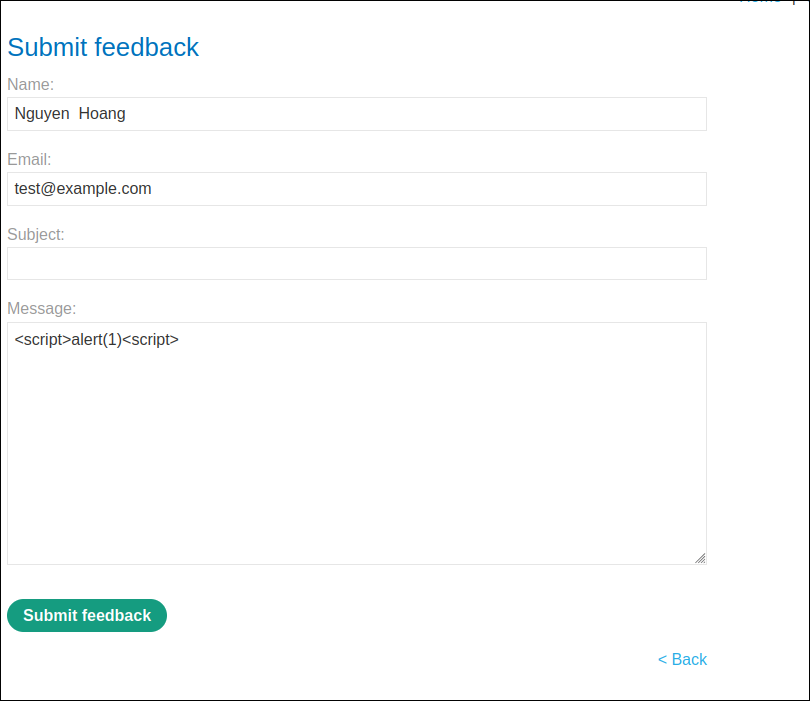
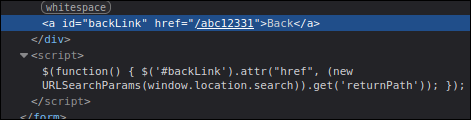
This lab isolates DOM href scheme injection. location.search supplies returnPath to $("#backLink").attr("href", ...) on /feedback. The Back anchor must be clicked; its JavaScript URL then runs in the lab origin.
Lab objective/setup
Open the Academy exercise at the reserved lab URL and work only in that disposable environment. The required proof is specific: The alert displays document.cookie and the Academy marks the lab solved.
What I observed
location.search supplies returnPath to $("#backLink").attr("href", ...) on /feedback. The Back anchor must be clicked; its JavaScript URL then runs in the lab origin.


Why it is vulnerable
The application applies protection for the wrong parser or omits a control at the decisive boundary. In this case, location.search supplies returnPath to $("#backLink").attr("href", ...) on /feedback. Browser parsing therefore preserves the attacker-controlled behavior instead of reducing the value to inert text or a safe URL.
Walkthrough in the authorized PortSwigger lab
First reproduce the recorded page or request and inspect the exact reflected, stored, or DOM-generated context described above. Then supply the following lab payload as data, not as active markup in this article:
1 | `javascript:alert(document.cookie)` |
The Back anchor must be clicked; its JavaScript URL then runs in the lab origin.


Verification
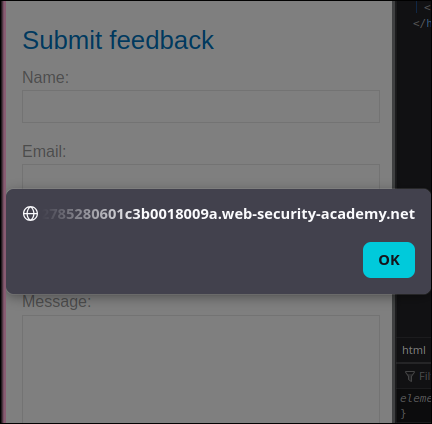
The alert displays document.cookie and the Academy marks the lab solved. This distinguishes execution from a payload merely appearing in source or being stored without reaching the required event or sink.
Impact and defensive lesson
In a real application, equivalent XSS could act with the victim’s same-origin privileges, expose readable data, or perform authenticated actions. Fix the data flow at its context: use text-only DOM APIs, JavaScript- or attribute-aware encoding, strict URL-scheme allowlists, and maintained sanitization where HTML is unavoidable. HttpOnly cookies and a restrictive CSP reduce consequences but do not repair the injection flaw.