Authorization disclaimer. This walkthrough is exclusively for the intentionally vulnerable PortSwigger Web Security Academy lab linked below. Only test systems you own or are explicitly authorized to assess.
Overview
This introductory lab demonstrates that hiding an administrative link is not access control. The application exposes an admin panel without authentication, while robots.txt reveals its location.

Lab objective/setup
The objective is to locate the administrative interface and delete the synthetic user carlos. No credentials are provided. The relevant requests are GET /robots.txt and the disclosed administrative route.
What I observed
The home page offered no admin link. However, requesting robots.txt returned Disallow: /administrator-panel, disclosing a route that deserved direct inspection.

Why it is vulnerable
robots.txt is public guidance for crawlers, not a security boundary. More importantly, the server does not authenticate or authorize requests to the disclosed route. This is improper authorization and forced browsing; the information disclosure merely makes discovery easier.
Walkthrough in the authorized PortSwigger lab
- Open
/robots.txtand note/administrator-panel. - Browse directly to that path and confirm the panel loads without a login or role check.
- Use the lab’s delete control for
carlos.
Verification
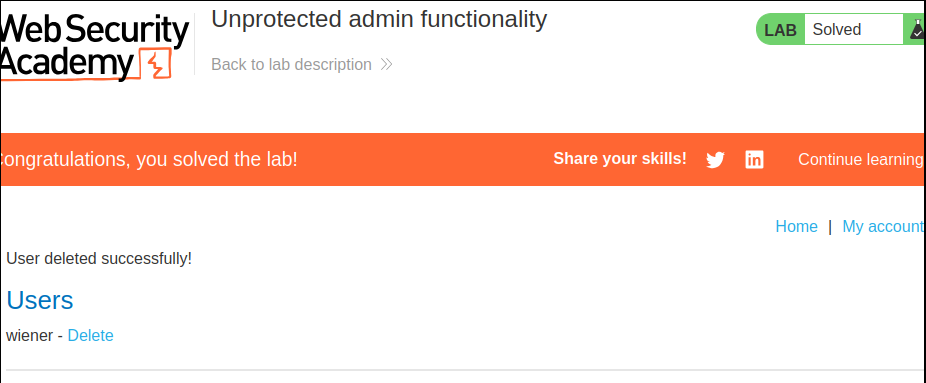
The Academy displays its solved state after the deletion. The decisive evidence is that an unauthenticated browser can both view the panel and perform an administrative operation.
Impact and defensive lesson
In a real application, this flaw could expose account management, configuration, or sensitive data. Enforce authentication and role authorization on every administrative request at the server. Do not rely on absent links, uncommon paths, or crawler directives.